

Set up a notification for Subscription
Overview
This guide shows you how to set up subscription notifications in the Cleverbridge web admin tool so your system receives subscription events.
Before you start
Make sure that:
- You can sign in to the Cleverbridge web admin tool.
- Your user has permission to manage notifications.
- Your system has an endpoint that can receive notifications.
Set up subscription notifications
To set up subscription notifications, create a notification and select the events your system needs.
-
In the web admin tool, on the main menu, select Tools > Notifications.
-
Select Add Notification.
-
Go to the General section.
-
In the Settings section, enter the required field.
-
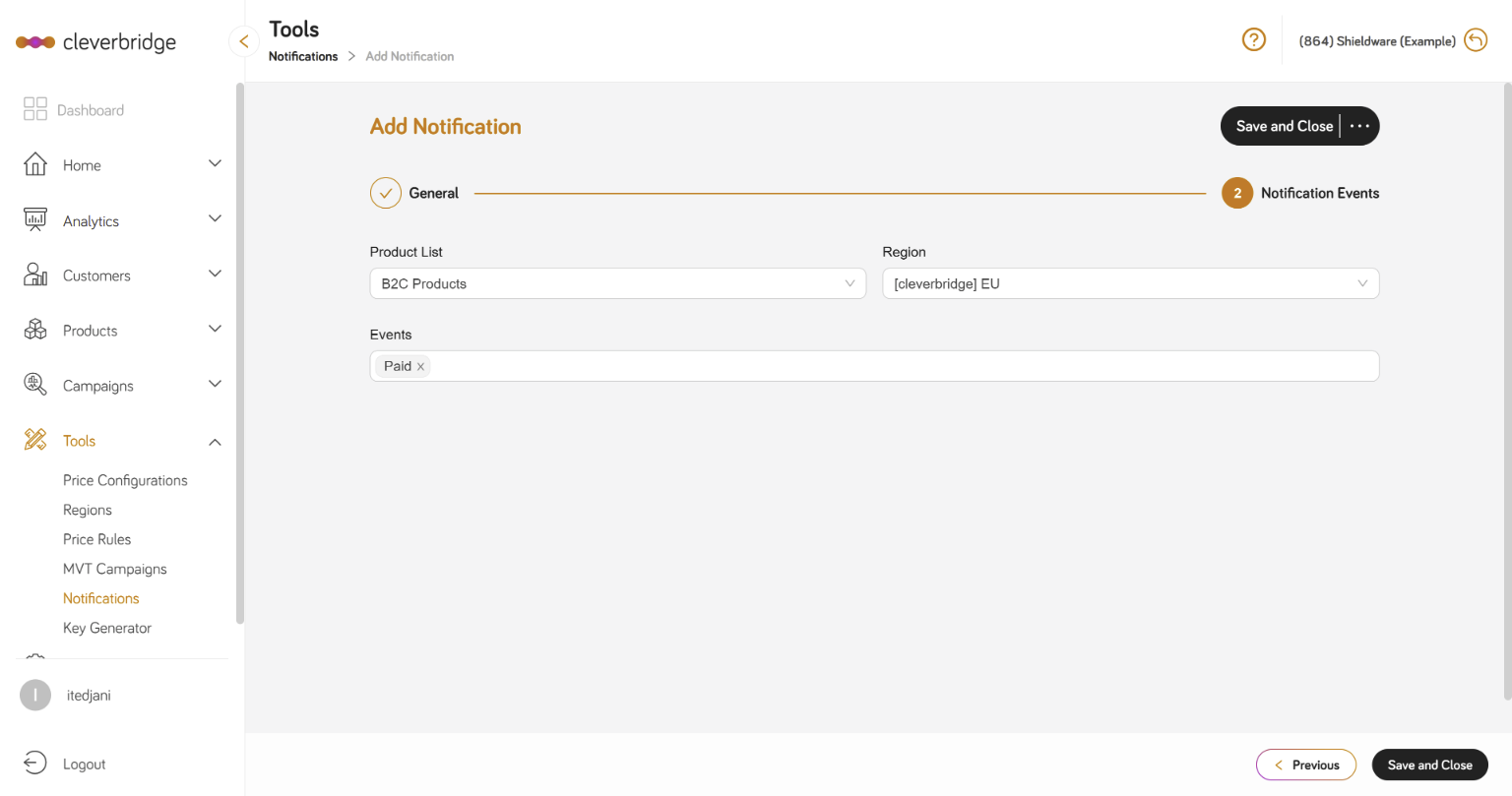
In the Notification Events section, select a Product List and a Region.
-
Select the subscription events your system needs. For a recommended set, see Recommended subscription events.
-
Select Save and Complete.
The notification appears on the Notifications page.
Recommended subscription events
These events cover most subscription use cases:
- Paid
- Subscription on hold
- Subscription on grace
- Subscription reinstated
- Subscription deactivated
- Subscription reminder charge
- Subscription reminder payment expired
- Subscription reminder offline payment
- Subscription profile data changed
- Subscription billing date extended
Updated 4 days ago