

Troubleshoot License Keys
License key generator common errors
XML data is not encoded in UTF-8
Symptoms
An XML parsing error occurs when processing the generated license key XML.
Cause
The key generator is configured to use a character encoding other than Unicode (UTF-8).
Resolution
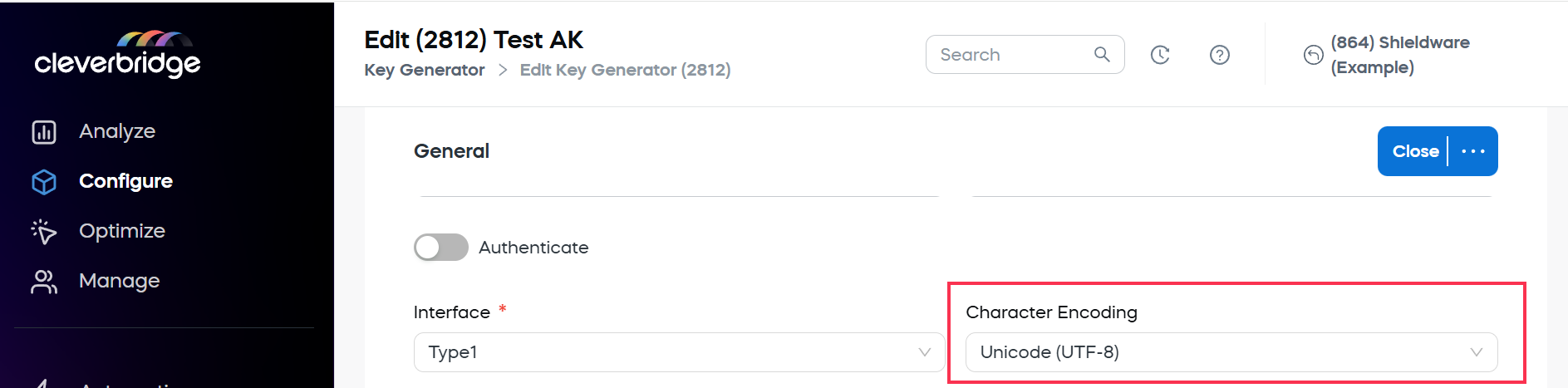
Configure the key generator to use Unicode (UTF-8).
In our web admin tool:
- Go to Configure > Tools > Key Generator.
- Select your key generator from the list.
- In the Character Encoding dropdown, select Unicode (UTF-8).
- Select the three-dot menu, then choose Save and Close.
Related topics
- Key Generator
Invalid link error
Symptoms
A download link appears to be valid, but attempting to download the file returns an Invalid link error.
Cause
For security reasons, Cleverbridge automatically expires download links after they have been downloaded or accessed five times.
Resolution
Generate a new download link and provide it to the customer.
Related topics
- Download links
- License key delivery
Updated 3 months ago
Did this page help you?